PRODUCT — PREDICTIVE MOTION
Enactra
LIVE — EARLY ACCESSYour AI assistant for organizing work and life. Enactra brings your tasks, calendar, bookmarks, research, and knowledge together around your goals and the roles you play.
Give your AI a direction.
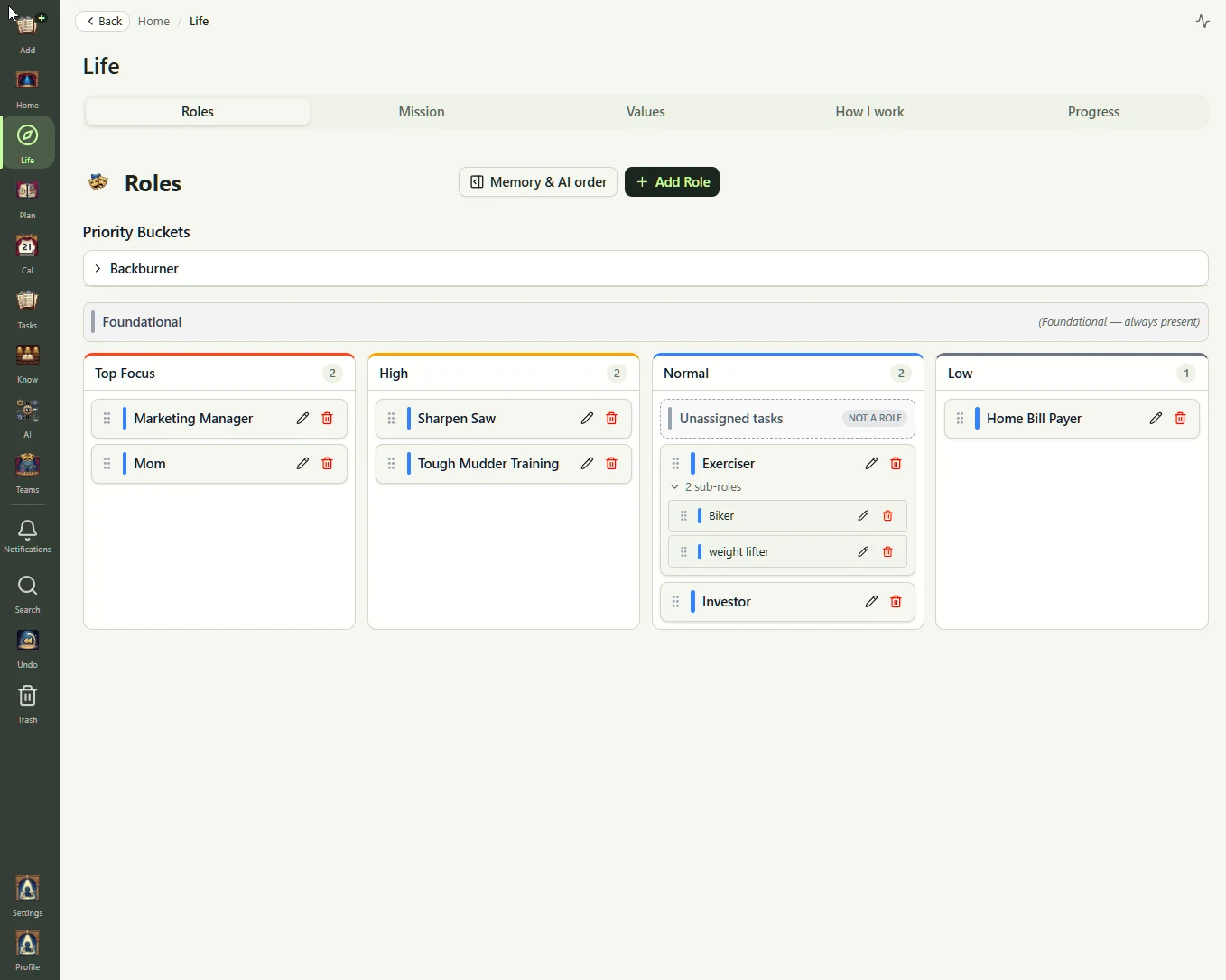
A full calendar is not the same as a meaningful week. Your vision, values, and goals tell Enactra what you are working toward; your roles give its planning a structure that fits your life.
- Define your direction with a mission and the values behind it
- Organize around roles such as business owner, parent, or learner
- Use subroles and priorities to give each responsibility its place
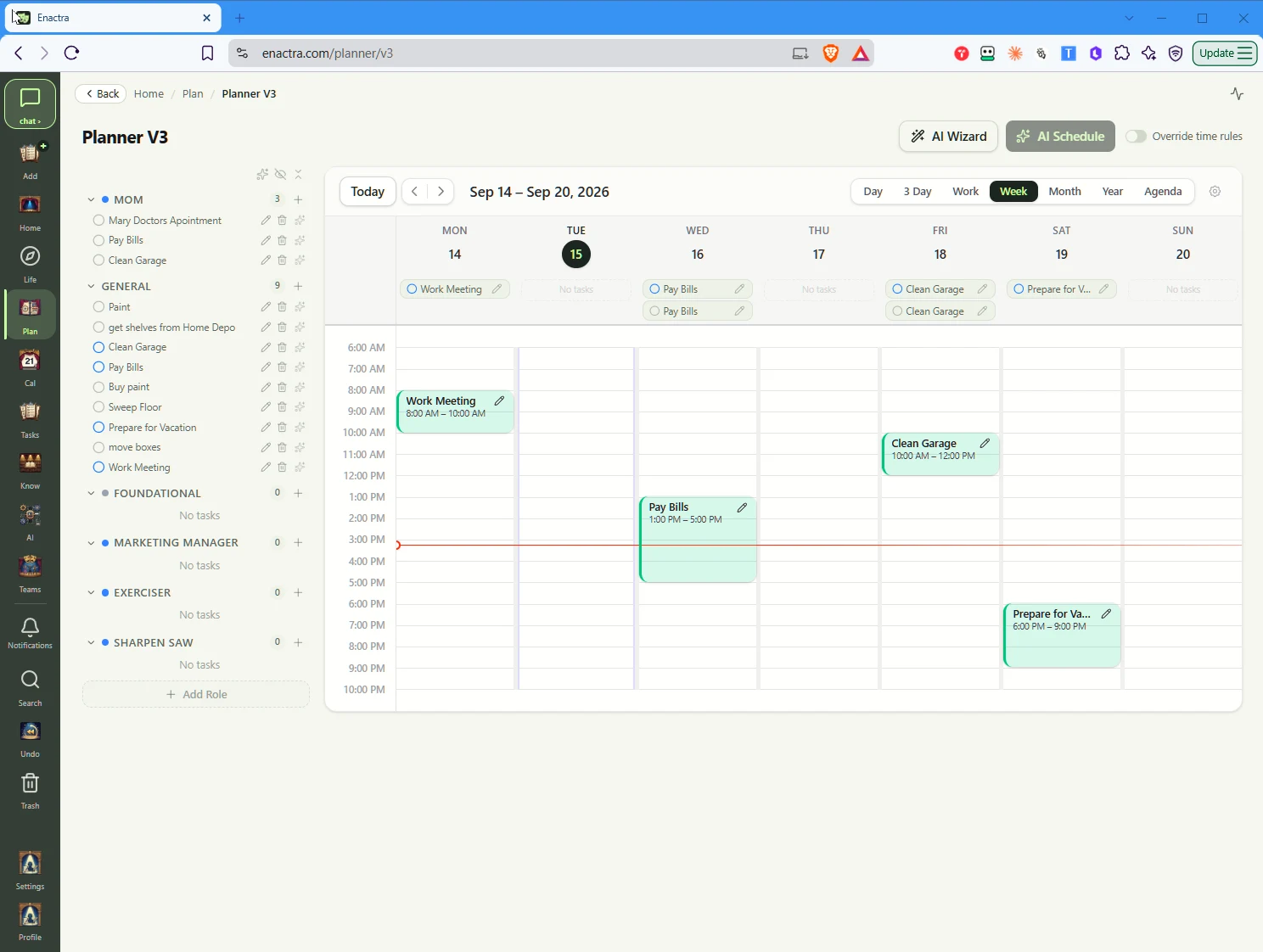
Turn a long task list into a week you can work with.
See what needs doing alongside the time you have. Bring in existing tasks and calendar events, then ask Enactra to organize the list and schedule your week around your commitments.
- Bring tasks and calendar events in from Microsoft and Google
- Ask for help organizing tasks, cleaning up duplicates, and planning the week
- Keep later ideas on the back burner instead of on today's list
Imports available now; two-way sync is not.
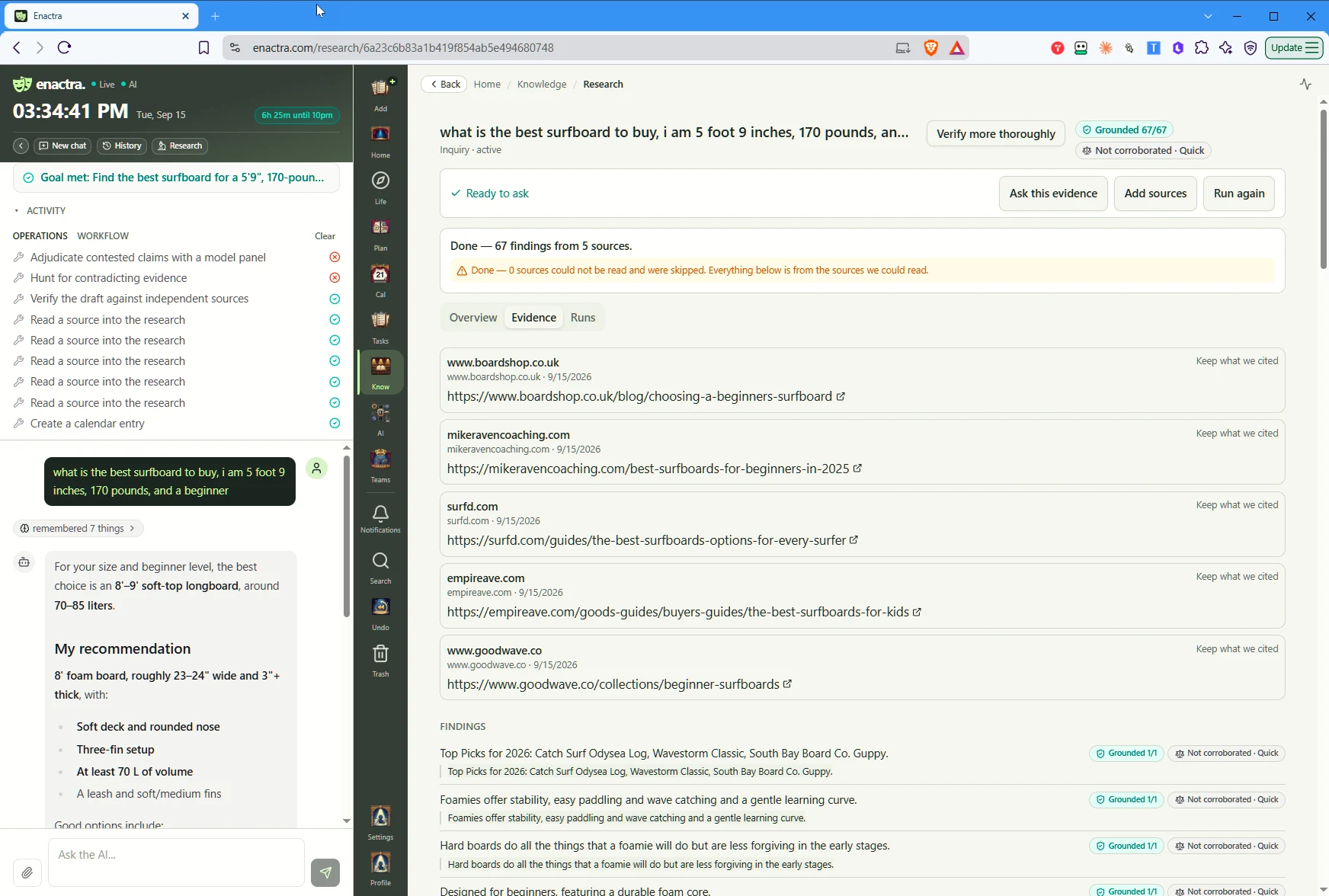
Explore a question. Keep the evidence with the answer.
Research should not leave you with another pile of open tabs. Investigate a question in Enactra, review the findings, and return to the sources behind them as you decide what to do next.
- Choose how deeply to investigate a question
- Keep findings and source references together
- Review the evidence before you act on a conclusion
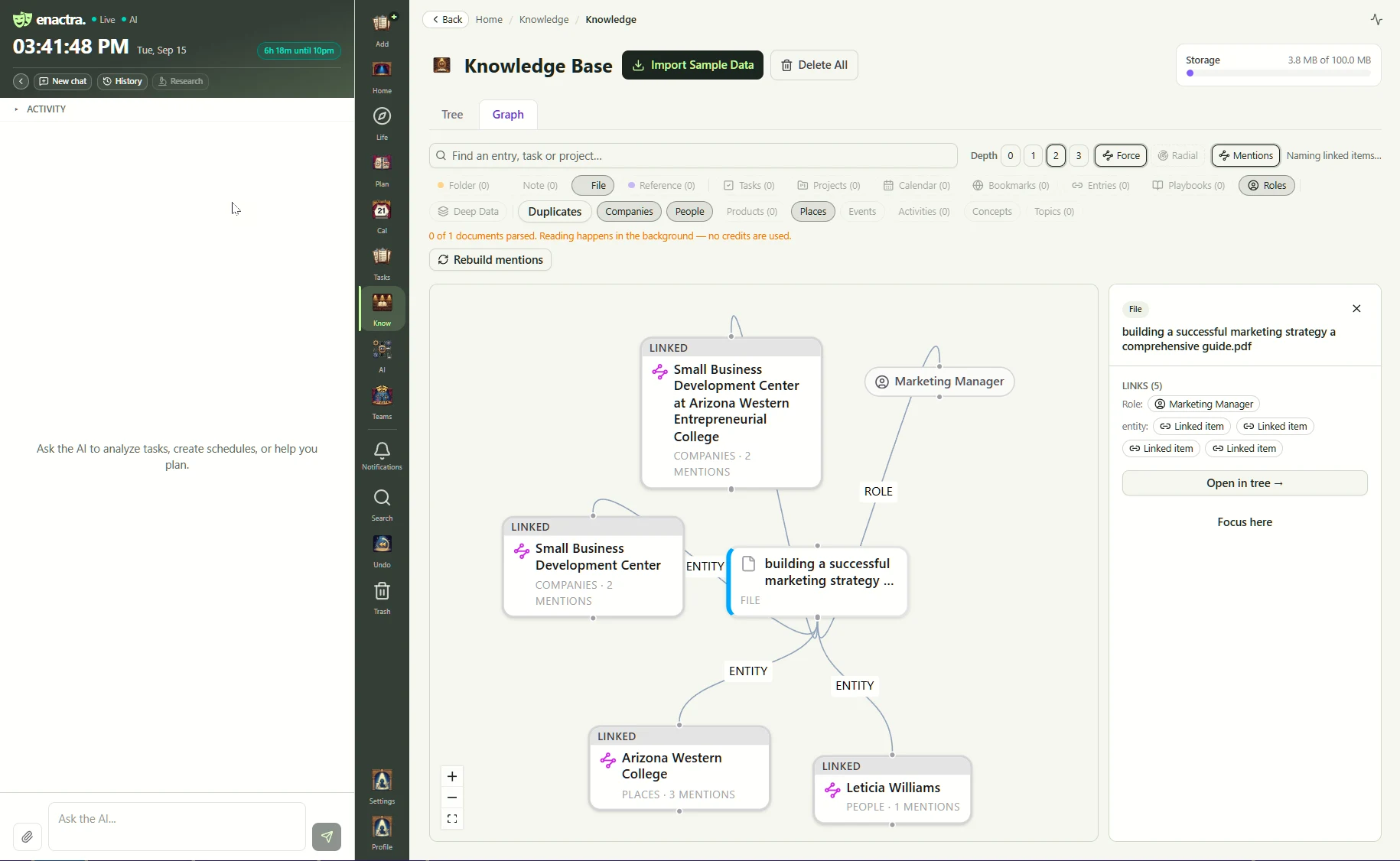
Find the useful connection in what you have already saved.
The note, the bookmark, and the task often belong to the same effort. Enactra's knowledge graph shows those relationships, so saved information stays connected to the work it supports.
- Organize knowledge and bookmarks under the roles you already use
- Explore links between notes, references, tasks, and projects
- Search across saved information when you need it again
Spend less time explaining yourself again.
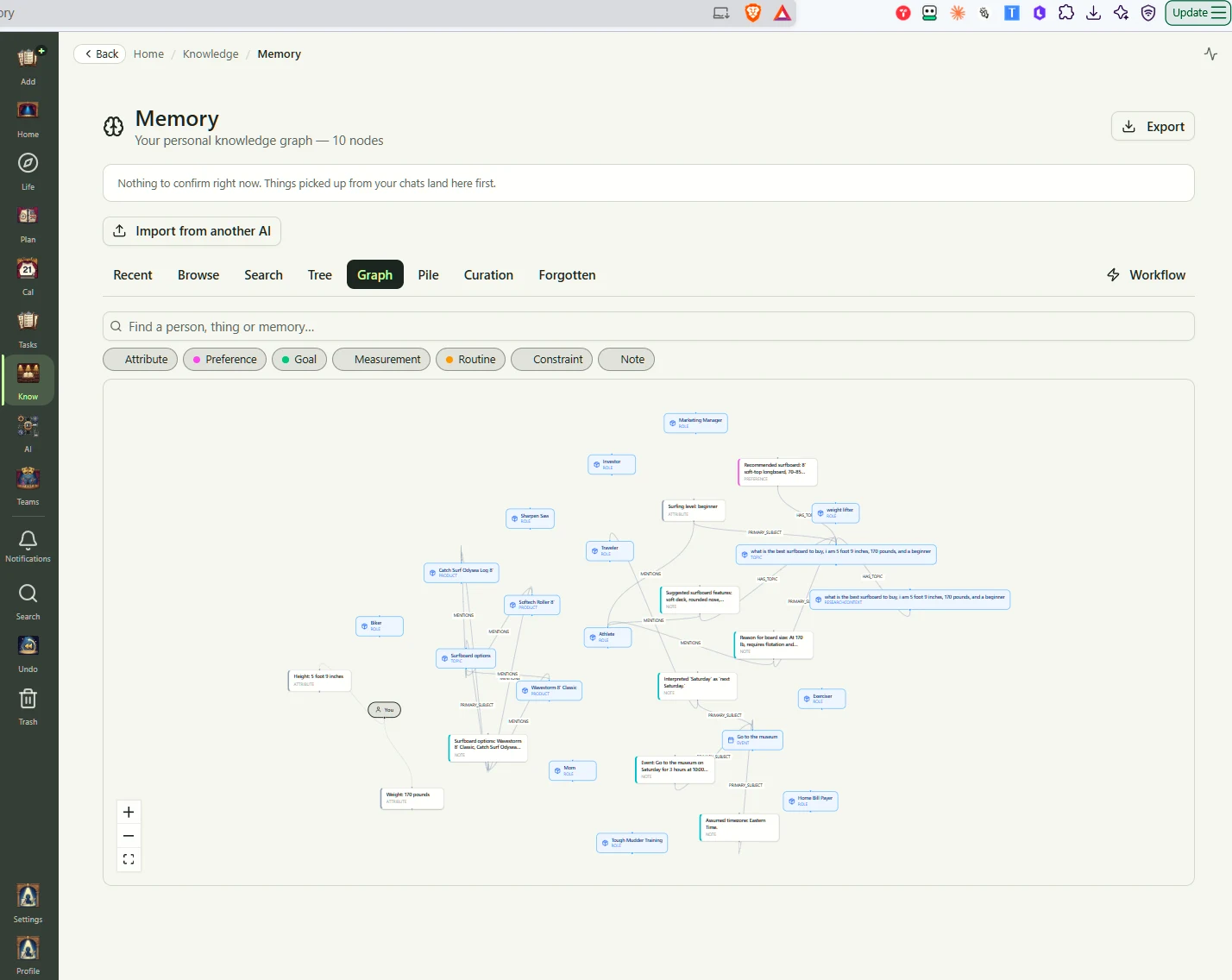
Your preferences, goals, and constraints matter beyond one conversation. Enactra's memory keeps useful details available for future chats, so its answers and plans account for what you have already shared.
- Keep useful details from conversations beyond the chat
- Browse and search remembered preferences, goals, and routines
- Explore how remembered information is connected
Ask for help. Make the next move.
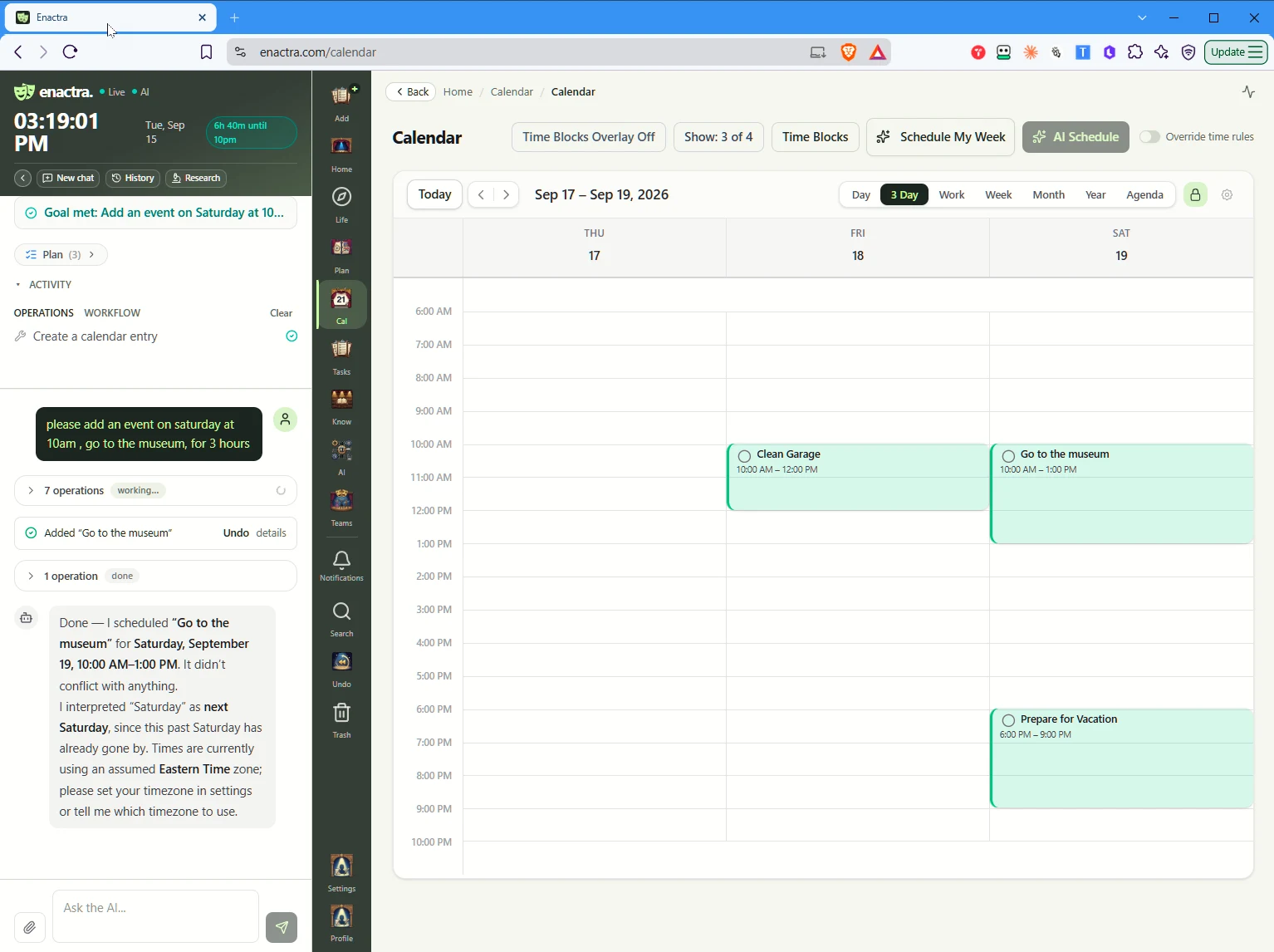
Enactra's chat can use supported tools to create and update tasks, find saved information, and help organize your week. Your roles, knowledge, and memory give that work direction.
Organize my tasks around my responsibilities.
Find the notes I saved for this project.
Help me plan the week around my appointments.
Get started
Enactra is in early access — an invite code is required to create an account.
Go to enactra.comProduct updates also land on our notification list.